

- Order number: ALL-BI3-9
- Open text field 2: Updated by OneERP 04.10.2026 12:41:08
Article in stock
Ordered before 5:00 PM,
delivered the next day
Prices incl. VAT plus shipping costs
Description
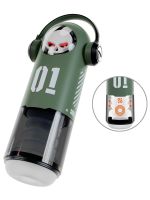
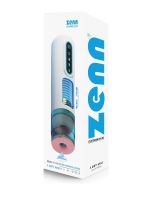
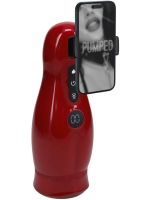
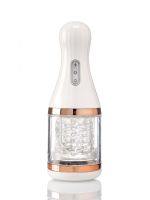
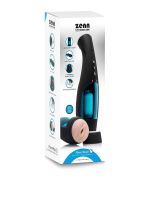
The ZENN PowerMate 1 delivers an intensely realistic experience through its fully automatic thrusting and stroking technology. The sophisticated mechanism precisely mimics natural movements, ensuring powerful, even stimulation. The anatomically shaped interior made of skin-like TPE fits comfortably and intensifies every sensation. For an especially immersive atmosphere, the integrated voice interaction can be played back either via the built-in speaker or discreetly using a 3.5 mm headphone jack. Thanks to the ergonomic housing, the device always rests securely in your hand, while the transparent viewing window offers a fascinating view of the movement. The removable sleeve allows for effortless, hygienic cleaning after use.
Highlights
- 4 automatic thrusting and stroking modes for varied stimulation
- Integrated voice interaction with 3.5 mm headphone jack for discreet listening
- Anatomically textured, extremely soft inner sleeve made of TPE
- Ergonomic housing with transparent viewing window
- Removable inner sleeve for fast and thorough cleaning
- Simple 3-button operation with lock function
- Rechargeable including USB charging cable
- Total length: 27.5 cm
- Width: 8.4 cm
- Height: 7.7 cm
- Weight: 440 g
- Color: Black / Blue
- Material: TPE, Silicone, ABS
- Origin: Made in China
Frequently asked questions
How is the ZENN PowerMate 1 cleaned?
The housing can be unlocked using the slider to completely remove the inner TPE sleeve. The sleeve can then be thoroughly cleaned with lukewarm water and mild soap or a special toy cleaner. After drying completely, care with renewal powder is recommended to keep the material supple.
Which lubricant is suitable for use?
Only water-based lubricant should be used for operation. Silicone-based or oil-based lubricants would permanently damage the sensitive TPE material of the inner sleeve.
How is the audio function used?
The sound function is activated using the corresponding button on the control panel. For an especially undisturbed and discreet experience, standard headphones with a 3.5 mm jack plug can be connected.
How is the device operated?
The power button is held down for 5 seconds to activate or deactivate the device. The mode button switches between the 4 thrusting programs, while the sound button controls the audio function.